Category: BigCommerce

  • When Does BigCommerce Stop Scaling? (2026 Signs, Limits & Solutions)

    When Does BigCommerce Stop Scaling? (2026 Signs, Limits & Solutions)

    BigCommerce can scale extremely well for many brands—especially when you want a SaaS platform that stays stable while you grow across storefronts, regions, and channels. But “scaling” changes as you grow.

    In 2026, BigCommerce usually “stops scaling” (or starts feeling restrictive) when your growth depends more on custom business logic than platform simplicity.

    If you’re already considering a replatforming move, start with our full blueprint:

    BigCommerce to Adobe Commerce Migration (2026): Complete Guide for Scaling Brands


    Quick answer: BigCommerce “stops scaling” when complexity becomes your core advantage

    Here’s the fastest way to know whether you’re hitting a true scaling limit:

    If your roadmap keeps requiring workarounds, extra apps, or “we can’t do that” conversations—your business has outgrown the platform’s guardrails.

    This doesn’t mean BigCommerce is “bad.” It means your business is moving into a stage where you need deeper control—especially for B2B workflows, pricing rules, integrations, and checkout logic.


    Table of contents

    1. 10 signs BigCommerce is starting to limit scaling
    2. What’s really happening (root causes)
    3. 3 solutions: optimize, hybrid, or replatform
    4. Decision checklist (fast)
    5. Next steps & internal resources

    10 signs BigCommerce is starting to limit your scaling

    If you see 4 or more of these consistently, you’re likely hitting platform-fit constraints rather than temporary growth pains.

    1) Your pricing becomes contract-driven and customer-specific

    Discounts and coupons are easy. But when pricing becomes “business logic” (contract pricing, negotiated terms, customer-level price lists, region-based price rules), you’ll start feeling friction if the platform can’t express those rules cleanly.

    2) Your B2B needs quotes, approvals, and company roles

    B2B scaling usually introduces complex buying workflows:

    • company accounts with departments and permissions
    • quote-to-order processes
    • approval chains for POs
    • customer-specific catalogs and negotiated pricing

    3) Checkout rules become unique to your business

    You’ll hit limitations when checkout requires special validations, conditional flows, complex shipping/payment rules, or B2B compliance logic. If your checkout roadmap is blocked, scaling slows down fast.

    4) Promotions and discounts need advanced logic

    When promotions depend on margins, inventory, customer tiers, bundles, subscriptions, or dynamic rules, it becomes harder to manage cleanly without deeper platform control.

    5) You’re experiencing “app stack sprawl”

    Apps are helpful—but when you rely on too many apps for core workflows, you may see:

    • higher monthly costs (multiple subscriptions)
    • performance impact (extra scripts/widgets)
    • conflicts between apps
    • harder debugging and slower releases

    6) Multi-store expansion becomes “unique per store,” not “repeatable”

    Launching multiple storefronts is fine. But if every store requires unique catalogs, rules, integrations, and fulfillment behavior, scaling turns into an engineering bottleneck.

    7) Your inventory & fulfillment logic is multi-warehouse and dynamic

    When scaling requires warehouse-based routing, split shipments, regional inventory rules, or OMS-driven fulfillment logic, you need a platform architecture that can support those rules reliably.

    8) ERP/OMS/PIM becomes the operating system for commerce

    If your ERP owns pricing, your OMS owns fulfillment, and your PIM owns catalog—your commerce platform needs deep integration governance. If integrations feel fragile or “patched together,” that’s a scaling constraint.

    9) SEO complexity grows (filters, facets, URL control, templates)

    As catalogs grow and storefronts multiply, SEO depends on strong control over URLs, faceted navigation, indexing rules, and content templates. If your SEO team keeps running into technical constraints, scaling becomes expensive.

    10) Your roadmap is blocked by platform guardrails

    This is the biggest sign. If your team repeatedly says:

    • “We can’t implement that without a workaround.”
    • “We need another app.”
    • “We can’t control checkout/promo logic the way we need.”
    • “We’re stuck with limitations.”

    …you’re not dealing with growth pains—you’re dealing with platform fit.


    What’s really happening (root causes)

    Most scaling issues come from one of these root causes:

    • Complexity mismatch: your workflows are becoming enterprise-grade while the platform is optimized for standardized patterns.
    • Customization pressure: your differentiation depends on business logic, not just storefront UX.
    • Integration gravity: your ERP/OMS/PIM/WMS needs to control commerce behavior, and you need stronger architectural control.
    • Governance requirements: you need predictable releases, deeper QA, and system-level control as revenue grows.

    The fix depends on which of these is your dominant constraint.


    3 solutions: optimize, hybrid, or replatform

    Solution A: Stay on BigCommerce and optimize (best when needs are still standardized)

    • reduce app bloat and replace overlapping apps
    • improve performance (storefront cleanup, scripts, media optimization)
    • use headless storefronts if UX + CWV is your main scaling constraint
    • tighten integration architecture (clean sync rules and monitoring)

    Internal help: BigCommerce development services

    Solution B: Hybrid (BigCommerce backend + stronger integrations + custom storefront)

    This is a strong option when:

    • you need storefront agility and performance improvements
    • you want to keep the SaaS backend benefits
    • your complexity can be handled in integration services and workflows (without rewriting commerce logic)

    If you’re migrating to BigCommerce or restructuring your setup, see: BigCommerce migration services

    Solution C: Replatform to Adobe Commerce (best for complexity scale)

    If your “scaling issue” is fundamentally complexity (B2B workflows, pricing rules, multi-store rules, deep ERP-driven commerce logic), Adobe Commerce often becomes the better long-term foundation.


    Decision checklist: is it time to move?

    Use this fast checklist. If you check 4+, plan a migration blueprint.

    • We need customer-specific catalogs and contract pricing at scale.
    • B2B requires quotes, approvals, company roles, and purchasing controls.
    • Checkout needs custom logic we can’t implement cleanly today.
    • Promotions require advanced rule logic tied to margins/stock/customer tiers.
    • Our app stack is growing, costly, and impacting performance.
    • Multi-store expansion is not repeatable—each store needs unique logic.
    • ERP/OMS/PIM/WMS drives commerce behavior and integrations are becoming fragile.
    • Our roadmap is routinely blocked by platform constraints.

    If that sounds like you, start with the blueprint (pillar) and make the decision based on a real migration plan—not assumptions:

    BigCommerce to Adobe Commerce Migration (2026): Complete Guide


    FAQ

    Does BigCommerce “stop scaling” for traffic and orders?

    Usually no. The most common scaling constraint is not traffic—it’s complexity: B2B workflows, pricing rules, checkout control, integrations, and multi-store logic.

    Is replatforming always the answer?

    No. If your needs are still standardized, you can often scale successfully by optimizing your BigCommerce setup (performance, apps, headless storefront, integrations). Replatforming makes sense when complexity is central to your growth strategy.

    What’s the safest first step if we’re unsure?

    Build a blueprint: map data, SEO risks, integrations, and workflows before committing. Use the pillar guide to structure the plan and reduce migration risk.
  • Why Fast-Growing Brands Outgrow BigCommerce (And What to Do Next)

    Why Fast-Growing Brands Outgrow BigCommerce (And What to Do Next)

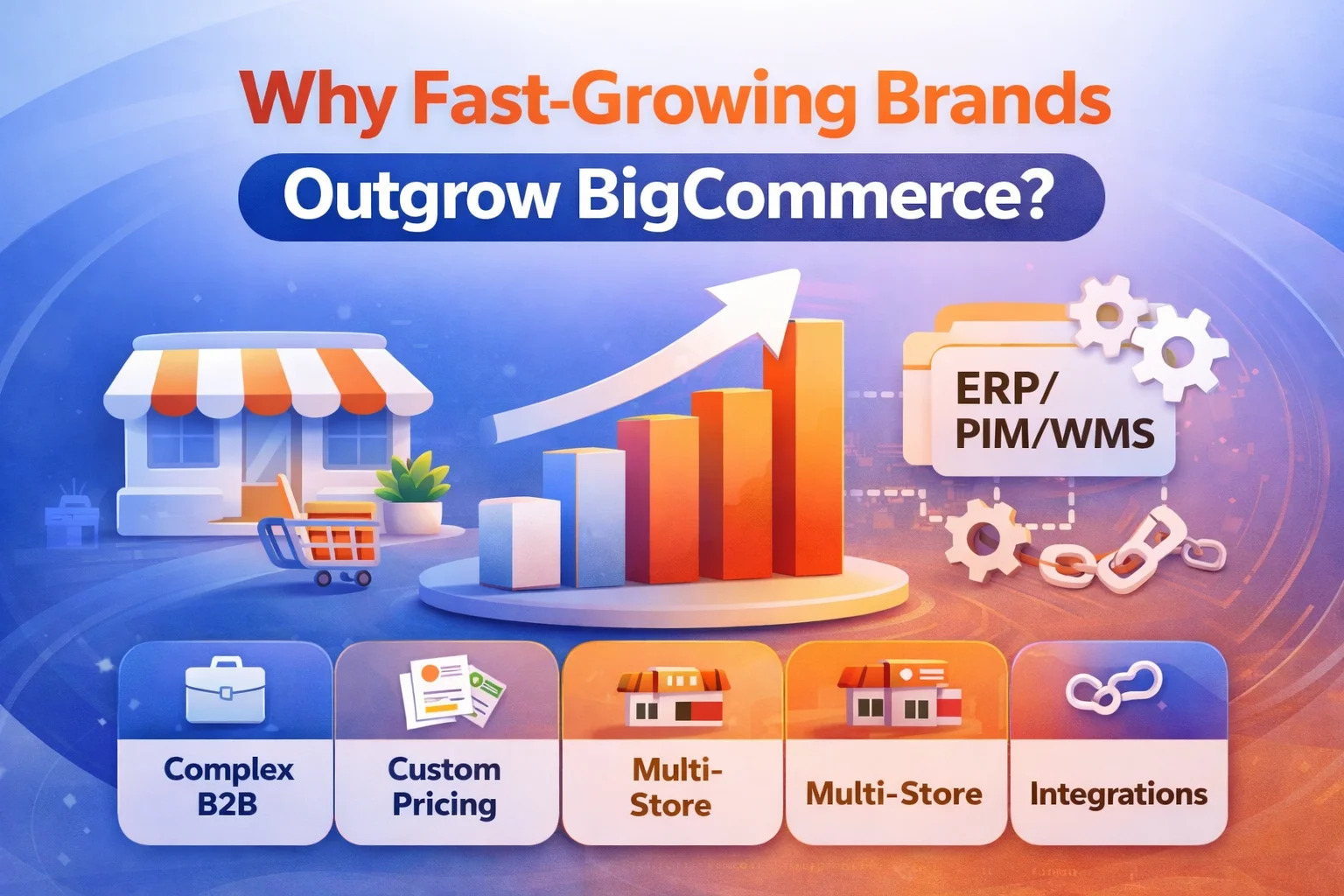
    BigCommerce is a strong platform for launching quickly, scaling operations with less maintenance, and growing across channels. But as brands grow, “scaling” stops being about traffic and starts becoming about complexity—B2B workflows, pricing rules, multi-store logic, integrations, and checkout control.

    If you’re evaluating a move, start with the full guide:

    BigCommerce to Adobe Commerce Migration (2026): Complete Guide for Scaling Brands


    Why brands outgrow BigCommerce (the real reason)

    Brands don’t outgrow BigCommerce because it “can’t handle growth.” They outgrow it because their business becomes harder to express within a SaaS model without workarounds.

    In simple terms:

    You outgrow BigCommerce when your growth demands custom business logic more than platform simplicity.

    That usually happens in one (or more) of these areas:

    • Complex B2B requirements (quotes, approvals, negotiated pricing, company roles)
    • Customer-specific catalogs and pricing at scale
    • Multi-store expansion where each storefront needs unique rules and workflows
    • Checkout and promotions that require deeper customization
    • Enterprise integrations where ERP/OMS/PIM/WMS logic becomes central to how you sell

    7 clear signs you’re outgrowing BigCommerce

    If your team is experiencing several of these, you’re likely hitting platform friction—not just “growing pains.”

    1) Pricing becomes “rule-based,” not “discount-based”

    Early-stage pricing is simple: coupons, sales, a few customer groups. Later-stage pricing becomes complex: contract pricing, negotiated terms, customer-level price lists, tiered pricing by product type, and rules tied to inventory or region.

    When pricing logic turns into business logic, brands often prefer a platform that supports deeper customization—especially if pricing is a competitive advantage.

    2) B2B requires approvals, quotes, and company structures

    B2B growth often introduces requirements like:

    • company accounts with departments/roles
    • approval flows for purchase orders
    • quote-to-order workflows
    • customer-specific catalogs and pricing
    • requisition lists and recurring orders

    If B2B is central to revenue and the workflows are unique to your business, many fast-growing brands explore enterprise-focused platforms.

    3) Multi-store expansion becomes complex (not just “multi-brand”)

    Launching multiple storefronts is one thing. Managing storefronts where each one needs unique workflows is another.

    You’re likely outgrowing your current setup if each new storefront requires:

    • different catalogs by region/customer type
    • different pricing rules and tax/shipping logic
    • different fulfillment rules tied to different warehouses
    • custom integrations and data pipelines per storefront

    4) Checkout needs deeper control

    Many brands hit friction when checkout needs:

    • complex shipping rules
    • custom payment flows
    • special validations (B2B compliance, tax rules, PO logic)
    • advanced promotions that depend on customer groups, margins, or stock

    If checkout modifications feel like “workarounds,” it’s a sign your business logic is outgrowing platform guardrails.

    5) App stack sprawl increases cost and risk

    SaaS app ecosystems are powerful—but as your store becomes more complex, you may end up with:

    • multiple paid apps for critical workflows
    • overlapping features and conflicting scripts
    • performance impact (extra JS, tracking, widgets)
    • harder debugging and higher operational risk

    If your app stack has become your “real platform,” it may be time to consider consolidating functionality into a more customizable architecture.

    6) Integrations become mission-critical (ERP/OMS/PIM/WMS)

    When integrations shift from “nice to have” to “how we operate,” you’ll need stronger control over data flows, rules, and reliability.

    Examples:

    • ERP owns pricing and customer terms
    • OMS controls fulfillment routing and split shipments
    • PIM controls catalog enrichment and attributes at scale
    • WMS controls inventory availability by warehouse

    When these systems drive commerce logic, many brands look for platforms that handle deeper customization and integration governance.

    7) Your team’s roadmap is blocked by platform constraints

    This is the biggest signal of all. If product, growth, and engineering teams routinely say:

    • “We can’t implement that without a workaround”
    • “We need another app to do this”
    • “We can’t control this part of checkout/promo logic”
    • “We’re stuck with limitations”

    …then scaling isn’t about traffic—it’s about platform fit.


    When BigCommerce is still the right choice

    To be clear—BigCommerce can be an excellent long-term solution when your scaling needs match its strengths:

    • you want to reduce operational overhead
    • you prefer standardized workflows over deep customization
    • you’re scaling through marketing, channels, and storefront UX
    • you’re using headless storefronts and keeping backend complexity controlled

    If you’re staying on BigCommerce and want to improve performance, UX, and conversion, see:

    BigCommerce development services


    When Adobe Commerce becomes the better scaling move

    Fast-growing brands often evaluate Adobe Commerce when they want to scale through complexity—especially for B2B and deep integration requirements.

    Adobe Commerce is commonly explored when you need:

    • advanced B2B workflows and customer structures
    • customer-specific catalogs and pricing at scale
    • highly customizable checkout and promotions
    • deep ERP/OMS/PIM/WMS integrations driving commerce logic
    • multi-store architectures with distinct rules per store

    If you’re considering this direction:


    What to do next: a practical replatforming checklist

    If you suspect you’re outgrowing BigCommerce, don’t jump straight into a platform migration. First, validate your real constraints and de-risk the move.

    Step 1: Identify your “constraint category”

    • Operations constraint: you need speed, stability, lower maintenance
    • Complexity constraint: you need custom rules, workflows, deep integrations
    • Experience constraint: you need better performance, UX, personalization, headless

    Step 2: Map integrations and data dependencies

    List every system connected to your commerce stack (ERP/OMS/PIM/WMS, marketing automation, analytics, loyalty, search, fulfillment). Your integration map determines timeline, cost, and risk.

    Step 3: Build a migration blueprint

    Use the pillar guide to plan data migration, SEO risk control, and launch strategy:

    BigCommerce to Adobe Commerce Migration (2026): Complete Guide

    If you want expert help, start here:


    FAQ

    Does outgrowing BigCommerce mean BigCommerce is “bad”?

    No. BigCommerce is excellent for many scaling scenarios. “Outgrowing” usually means your business now requires deeper custom logic and enterprise integration patterns than a SaaS model optimizes for.

    What’s the safest first step before migrating?

    A blueprint: map your data, SEO risks, integrations, and operational requirements. Start with the pillar guide and convert it into a real migration plan.

    How do I know if Adobe Commerce is worth it?

    If your growth depends on complex pricing/catalog rules, B2B workflows, and deep integrations, Adobe Commerce typically becomes more valuable over time. If your needs are standardized and speed matters most, BigCommerce may remain the best fit.

  • BigCommerce vs Adobe Commerce (2026): Which Platform Scales Better

    BigCommerce vs Adobe Commerce (2026): Which Platform Scales Better

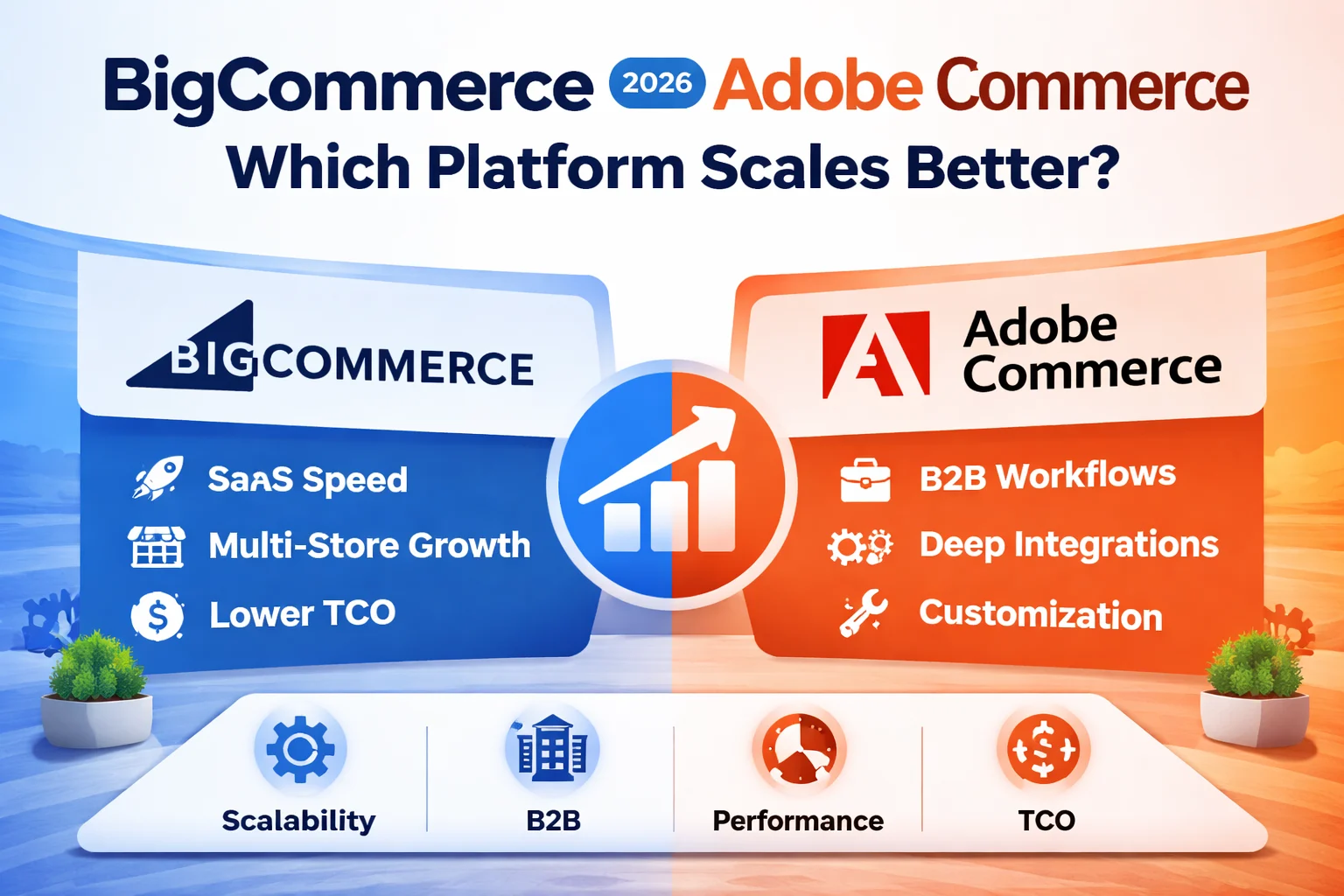
    If you’re comparing BigCommerce and Adobe Commerce in 2026, you’re not just comparing features—you’re choosing a scaling model:

    • BigCommerce scales best when you want SaaS speed, predictable operations, and faster expansion without heavy platform engineering.
    • Adobe Commerce (Magento) scales best when “scale” means complex business logic: B2B workflows, customer-specific pricing/catalogs, deep ERP/OMS/PIM integrations, and custom checkout rules.

    This article is part of our migration cluster. Start with the pillar guide for the full migration blueprint:

    BigCommerce to Adobe Commerce Migration (2026): Complete Guide for Scaling Brands


    Quick Verdict: Which platform “scales better” depends on your type of scale

    Choose BigCommerce if…

    • You want faster go-live with less ops overhead (hosting, patching, maintenance).
    • Your roadmap is mostly configure + integrate, not “build custom backend business logic.”
    • You’re scaling by adding brands/regions/storefronts with standardized rules.
    • You want to differentiate mainly through storefront UX, headless, and integrations.

    Choose Adobe Commerce if…

    • Your “scale problem” is complexity: contract pricing, approvals, quotes, customer catalogs.
    • Checkout/promo logic needs heavy customization (not “within guardrails”).
    • Your integrations are core workflows: ERP/OMS/PIM/WMS drives pricing, stock, fulfillment, terms.
    • You need enterprise flexibility and long-term control over architecture.

    If you want expert help on either path:


    At-a-glance comparison (2026 scaling view)

    Scaling dimensionBigCommerceAdobe CommerceBest fit
    Speed to launchFast (SaaS)Medium–Slow (build/architecture)BigCommerce
    Operational overheadLowerHigher (depends on hosting model)BigCommerce
    Customization depthModerate (guardrails)High (modules + architecture control)Adobe Commerce
    B2B complexityStrong for standard workflowsStrong for advanced workflows + customizationDepends
    Multi-store expansionStrong for standardized multi-storeStrong for complex multi-store rulesDepends
    Integrations (ERP/OMS/PIM)Great when mostly plug-and-playBest when integrations are business logicAdobe Commerce
    Headless storefront flexibilityStrongStrongEither
    Total cost of ownership (TCO)Predictable fees; app costs can growHigher build/maintenance; pays off with complexityDepends

    What “scaling” really means in 2026

    Most brands don’t outgrow platforms because of traffic alone. They outgrow platforms because the business becomes harder to express:

    • Catalog complexity: more SKUs, more attributes, multiple catalogs per region/customer type
    • Pricing complexity: price lists, tier pricing, contract pricing, negotiated terms
    • B2B workflows: company accounts, roles, approvals, quotes, re-ordering logic
    • Multi-store growth: multi-brand, multi-region, unique rules per storefront
    • Integration depth: ERP/OMS/PIM/WMS syncing pricing, inventory, fulfillment rules
    • Experiment velocity: headless storefronts, faster UX iteration, personalization

    Simple decision rule:

    If your scale problem is operational speed and simplicity → BigCommerce.
    If your scale problem is complexity and deep integrations → Adobe Commerce.


    Platform DNA: how each one is built to scale

    BigCommerce: SaaS-first scaling

    BigCommerce is designed to reduce infrastructure and maintenance work so teams can focus on growth. This is ideal when scaling is driven by:

    • Launching new channels/regions faster
    • Managing multiple storefronts with consistent backend rules
    • Keeping ops overhead low (less platform engineering)

    Internal resources: If you’re staying on BigCommerce and want performance + conversion upgrades, start here: BigCommerce development services.

    External references: BigCommerce resources you can review:

    Adobe Commerce: scaling through control (business rules + architecture)

    Adobe Commerce is typically chosen when scaling requires platform-level control—custom workflows, advanced promotions, complex catalogs, and deep enterprise integrations.

    Internal resources: planning an enterprise build? Start here: Adobe Commerce development services.

    External references: Adobe Commerce resources you can review:


    Multi-store expansion: brand + region growth

    BigCommerce is typically the faster path when you want multi-store growth with consistent back-office logic and standardized workflows.

    Adobe Commerce tends to win when each storefront needs unique logic—different catalogs by customer type/region, custom pricing, complex fulfillment rules, and deeper integration-driven behavior.


    B2B and enterprise: where most brands feel “platform limits”

    This is where “scaling better” becomes obvious.

    • BigCommerce often fits when B2B needs are standard and you want faster rollout with less platform engineering.
    • Adobe Commerce often fits when B2B is deeply customized: approvals, contract pricing, customer-specific catalogs, ERP-driven workflows, and highly tailored checkout rules.

    If you’re already leaning toward a platform change, see our migration pages:


    Customization & checkout control (the hidden scaling breakpoint)

    Many brands don’t “outgrow” product pages—they outgrow checkout and promotions.

    • BigCommerce is better when you want a stable checkout within platform patterns and quick iteration without deep backend changes.
    • Adobe Commerce is better when your growth requires custom checkout validation, complex shipping/payment logic, advanced promotion logic, and rule-heavy business flows.

    Performance & headless: both can scale—if the storefront is engineered properly

    In 2026, performance is rarely “platform-only.” It’s driven by storefront architecture, caching, search, scripts, and image/CDN discipline.

    • BigCommerce: often wins fast by keeping the backend SaaS and building a high-performance headless storefront.
    • Adobe Commerce: can scale extremely well, but benefits from solid architecture decisions and optimization discipline.

    External references:


    Integrations & extensibility: where TCO quietly explodes

    Here’s the common pattern:

    • BigCommerce starts fast. But if you need many “apps” to mimic core enterprise workflows, costs and complexity can increase over time.
    • Adobe Commerce starts heavier. But if complexity is your competitive advantage, it can be more scalable long-term because logic becomes native to your architecture.

    Rule of thumb: If integrations are mostly plug-and-play, BigCommerce scales cleanly. If integrations are your business logic, Adobe Commerce usually scales better.


    Decision framework: 5 questions that decide 90% of cases

    1. Do we need customer-specific catalogs/pricing and complex B2B workflows (quotes/approvals)?
    2. Are we blocked by SaaS constraints (checkout logic, backend rules, app dependency, limitations)?
    3. Is ERP/OMS/PIM logic core to how we sell (not just reporting)?
    4. Is multi-store expansion standardized—or does each store need unique rules and integrations?
    5. Do we prefer platform-managed operations (SaaS), or are we ready to invest in controlled customization?

    If you answered “yes” to 3 or more, Adobe Commerce is usually the better scaling direction.


    Next steps: if you’re planning a migration (recommended path)

    If you’re leaning toward Adobe Commerce, don’t jump straight into development. The safest approach is a blueprint first: data, SEO risk, integrations, and launch plan.

    If BigCommerce is still your best fit and you want a stronger storefront (performance/CWV/conversion):


    FAQ

    Is Adobe Commerce only for enterprise in 2026?

    Not strictly—but it delivers the most value when your business needs advanced rules, deep integrations, and complex B2B workflows. If your needs are simple, a SaaS platform can be faster and more cost-efficient.

    Can BigCommerce handle B2B?

    Yes. BigCommerce can be strong for B2B when your workflows are standard and you want faster rollout with lower operational overhead. If B2B requires heavy customization and ERP-driven logic, Adobe Commerce often fits better.

    Which is safer for SEO and a clean migration?

    Both can be safe if you follow a blueprint approach: URL mapping, redirects, category faceting control, and post-launch monitoring. Use the pillar guide to plan the migration properly: BigCommerce to Adobe Commerce Migration (2026).

  • BigCommerce to Adobe Commerce Migration (2026): Complete Guide for Scaling Brands

    BigCommerce to Adobe Commerce Migration (2026): Complete Guide for Scaling Brands

    BigCommerce is an excellent platform for getting an online store live quickly. But as brands scale in catalog size, revenue, complexity, and regional expansion, many hit unavoidable platform limits.

    By 2026, a clear pattern has emerged:

    Fast-growing and enterprise-focused brands eventually outgrow BigCommerce and migrate to Adobe Commerce (Magento).

    This guide is a complete, end-to-end resource on migrating from BigCommerce to Adobe Commerce, covering:

    • Why brands migrate
    • When migration makes sense
    • Data, SEO, and technical considerations
    • Cost, timeline, and risks
    • How to migrate safely without losing revenue or rankings
    • Who should not migrate

    This is not a sales pitch—it’s a decision framework for scaling brands.


    Why Brands Outgrow BigCommerce

    BigCommerce is a SaaS-first eCommerce platform, optimized for simplicity and speed. But SaaS convenience comes with architectural trade-offs.

    Common BigCommerce Scaling Limitations

    As stores grow, brands often face:

    • Limited backend customization
    • Restricted checkout logic
    • App dependency for core features
    • Revenue-based pricing tiers
    • Complex B2B workflows handled externally
    • Difficult multi-store or multi-region control

    BigCommerce works best when:

    • Business logic is simple
    • Catalog size is manageable
    • Custom pricing is limited
    • SaaS constraints are acceptable

    When these assumptions break, Adobe Commerce becomes the natural next step.


    Why Adobe Commerce Is Built for Scale

    Adobe Commerce (Magento) is not a SaaS platform—it’s a fully customizable commerce framework.

    It is designed for:

    • Complex catalogs (10k+ SKUs)
    • Multi-store, multi-currency, multi-region setups
    • B2B commerce
    • Advanced pricing & promotions
    • Custom checkout workflows
    • Deep ERP, CRM, and PIM integrations

    👉 Adobe Commerce development services


    BigCommerce vs Adobe Commerce: Architectural Difference

    AreaBigCommerceAdobe Commerce
    Platform modelSaaSSelf-hosted / Cloud
    Custom logicLimitedUnlimited
    CheckoutRestrictedFully customizable
    B2B featuresAdd-on basedNative
    Pricing modelRevenue-basedFixed / license
    IntegrationsApp-firstAPI & backend-first
    ScalabilityPlan-limitedInfrastructure-driven

    Key takeaway:
    BigCommerce scales until business logic becomes complex.
    Adobe Commerce scales with complexity.


    When Should You Migrate from BigCommerce to Adobe Commerce?

    Migration makes sense if 2 or more of the following are true:

    • Your store revenue is growing rapidly
    • You need advanced pricing or customer-specific catalogs
    • You run B2B or hybrid B2B+B2C
    • Checkout customization is required
    • App costs are increasing
    • BigCommerce plan limits are blocking growth
    • You need deeper backend integrations

    If your store is still simple and SaaS-friendly, BigCommerce may still be the right choice.

    👉 BigCommerce development services


    What Data Can Be Migrated from BigCommerce?

    ✅ Data That Can Be Migrated Safely

    • Products & variants
    • Categories
    • Customers
    • Orders (historical)
    • Coupons & discounts
    • Reviews
    • CMS pages
    • URLs & SEO metadata

    ❌ Data That Must Be Rebuilt

    • Apps & app-based logic
    • Checkout customizations
    • Theme-specific features
    • SaaS workflow automations

    Adobe Commerce replaces apps with native features or custom modules, which is more stable long-term.


    SEO Considerations (Critical)

    SEO is the highest-risk area of any eCommerce migration.

    Common SEO Risks

    • URL changes without redirects
    • Metadata loss
    • Category restructuring errors
    • Pagination & faceted navigation issues
    • Duplicate content

    SEO-Safe Migration Requires

    • Full URL mapping
    • 301 redirect strategy
    • Metadata parity
    • Canonical control
    • XML sitemap regeneration
    • Post-launch monitoring

    👉 Dedicated migration services

    Adobe Commerce Migration
    BigCommerce Migrations


    BigCommerce to Adobe Commerce Migration Phases

    Phase 1: Discovery & Planning

    • Business logic analysis
    • App dependency audit
    • SEO audit
    • Data mapping
    • Risk identification

    Phase 2: Adobe Commerce Architecture

    • Hosting & infrastructure setup
    • Store structure design
    • Attribute & product modeling
    • Pricing logic planning

    Phase 3: Data Migration

    • Products, customers, orders
    • Media assets
    • CMS content
    • Metadata

    Phase 4: Custom Development

    • Checkout customization
    • B2B workflows
    • ERP / CRM integrations
    • Performance optimization

    Phase 5: SEO, QA & Launch

    • Redirects
    • SEO validation
    • Load testing
    • Staged rollout

    Phase 6: Post-Launch Optimization

    • Performance tuning
    • Conversion optimization
    • Analytics validation

    Migration Timeline (2026)

    Store ComplexityTimeline
    Small catalog6–8 weeks
    Medium store8–12 weeks
    Enterprise / B2B12–20+ weeks

    Rushed migrations almost always cause SEO or revenue loss.


    Migration Cost Breakdown (High-Level)

    Store TypeTypical Cost
    Small store$8k – $15k
    Mid-sized brand$15k – $35k
    Enterprise / B2B$35k – $80k+

    Cost depends on:

    • Custom logic
    • Integrations
    • SEO complexity
    • Performance requirements

    Important:
    Adobe Commerce costs more upfront but reduces long-term platform and app fees.


    BigCommerce vs Adobe Commerce: Total Cost of Ownership

    BigCommerce Long-Term Costs

    • Monthly SaaS fees
    • Revenue-based pricing
    • App subscriptions
    • Limited customization
    • Scaling penalties

    Adobe Commerce Long-Term Costs

    • Hosting
    • Maintenance
    • Custom development
    • No revenue-based lock-in

    At scale, Adobe Commerce is often cheaper over 3–5 years.


    Who Should NOT Migrate

    Do NOT migrate if:

    • Your store is small and stable
    • You rely on BigCommerce SaaS simplicity
    • Custom logic is minimal
    • Budget or timeline is tight

    Migration is a scaling decision, not a trend.


    Why Brands Choose Adobe Commerce After BigCommerce

    Brands migrate to Adobe Commerce for:

    • Control over business logic
    • Scalable architecture
    • B2B readiness
    • Custom checkout & pricing
    • Long-term cost predictability

    This is why Adobe Commerce dominates enterprise and high-growth commerce.


    Choosing the Right Migration Partner

    A BigCommerce → Adobe Commerce migration partner must:

    • Understand both platforms deeply
    • Plan SEO before development
    • Handle data integrity
    • Build scalable architecture
    • Support post-launch optimization

    👉 Adobe Commerce migration & development


    Final Verdict (2026)

    BigCommerce helps you launch.
    Adobe Commerce helps you scale without compromise.

    If BigCommerce is starting to limit growth, migration is not a failure—it’s a strategic upgrade.


    FAQ: BigCommerce to Adobe Commerce Migration (2026)

    1. Why should I migrate from BigCommerce to Adobe Commerce?

    Brands migrate from BigCommerce to Adobe Commerce when they outgrow SaaS limitations. Adobe Commerce offers deeper customization, better support for complex catalogs, B2B features, advanced pricing, custom checkout logic, and long-term scalability without revenue-based platform fees.


    2. When is the right time to migrate from BigCommerce to Adobe Commerce?

    Migration makes sense when your store requires custom business logic, B2B workflows, multi-store or multi-region setups, or when BigCommerce plan limits and app costs start restricting growth.


    3. How long does a BigCommerce to Adobe Commerce migration take?

    A typical migration takes:

    • 6–8 weeks for small stores
    • 8–12 weeks for mid-sized stores
    • 12–20+ weeks for enterprise or B2B stores
      The timeline depends on catalog size, integrations, SEO complexity, and customization needs.

    4. Will I lose SEO rankings during the migration?

    No—if the migration is done correctly. SEO-safe migration includes full URL mapping, 301 redirects, metadata preservation, canonical control, and post-launch monitoring. Poor planning, not the platform, causes ranking loss.


    5. What data can be migrated from BigCommerce to Adobe Commerce?

    You can migrate products, categories, customers, orders, CMS pages, URLs, and SEO metadata. Apps, SaaS workflows, and theme-specific features usually need to be rebuilt natively in Adobe Commerce.


    6. How much does BigCommerce to Adobe Commerce migration cost in 2026?

    Typical costs range from:

    • $8,000–$15,000 for small stores
    • $15,000–$35,000 for mid-sized brands
    • $35,000–$80,000+ for enterprise or B2B stores
      Costs depend on customization, integrations, SEO sensitivity, and scale.

    7. Is Adobe Commerce more expensive than BigCommerce long term?

    Not necessarily. While Adobe Commerce has a higher upfront cost, it often reduces long-term expenses by eliminating revenue-based fees, lowering app subscriptions, and offering greater control over infrastructure and performance.


    8. Who should not migrate from BigCommerce to Adobe Commerce?

    Migration may not be suitable if your store is small, stable, budget-constrained, or if you prefer SaaS simplicity over customization and control.


    9. Do I need a specialized migration partner?

    Yes. A successful migration requires expertise in both BigCommerce and Adobe Commerce, SEO planning, data integrity handling, and post-launch optimization. Generic replatforming often leads to revenue or SEO loss.